Protocols
Images
Show the agents on a docket what you mean. Paste a mockup, an inspiration or a screenshot into the composer, mark it up with boxes, arrows and numbered pins, and the agents get the image itself, as a file they open.
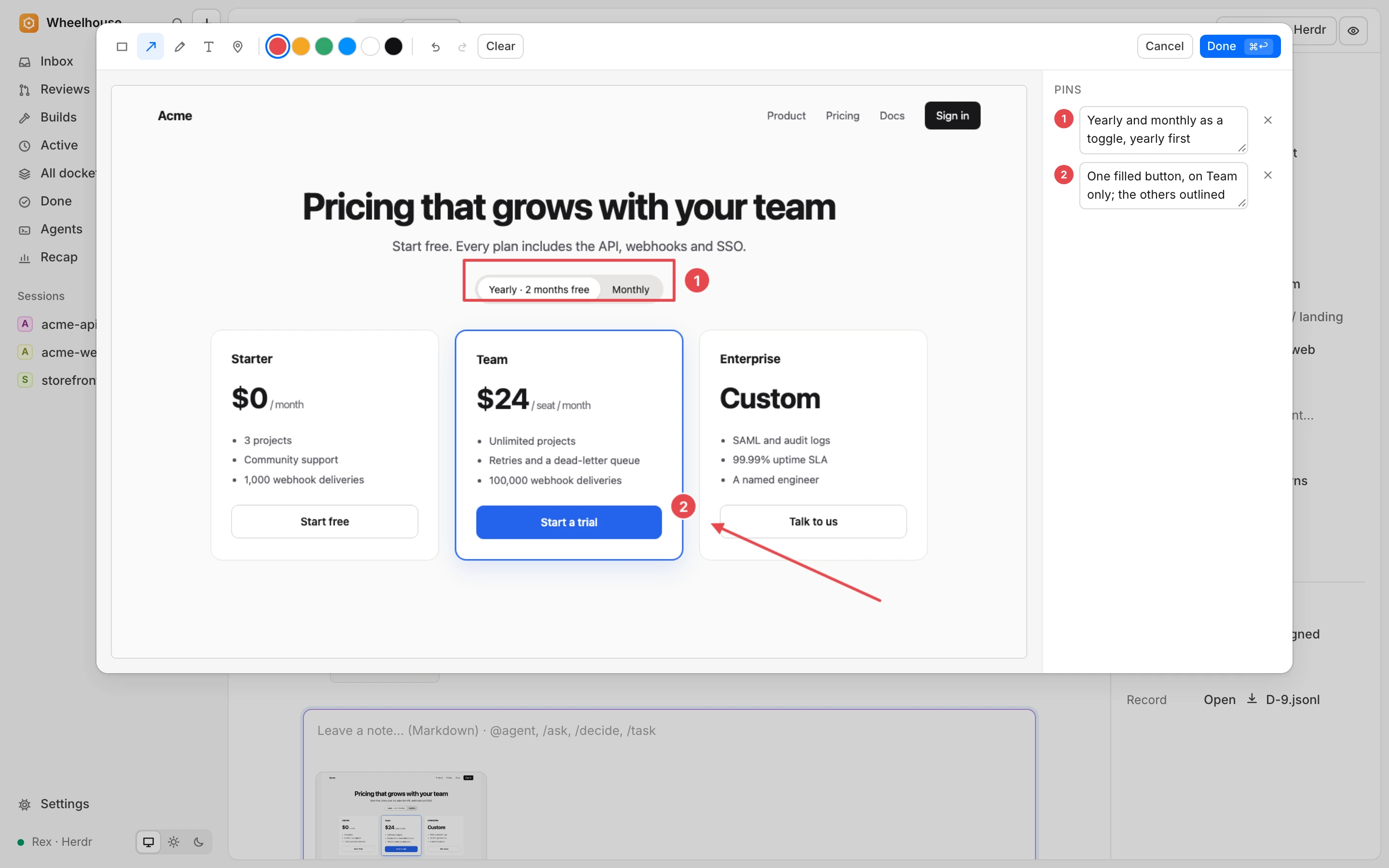
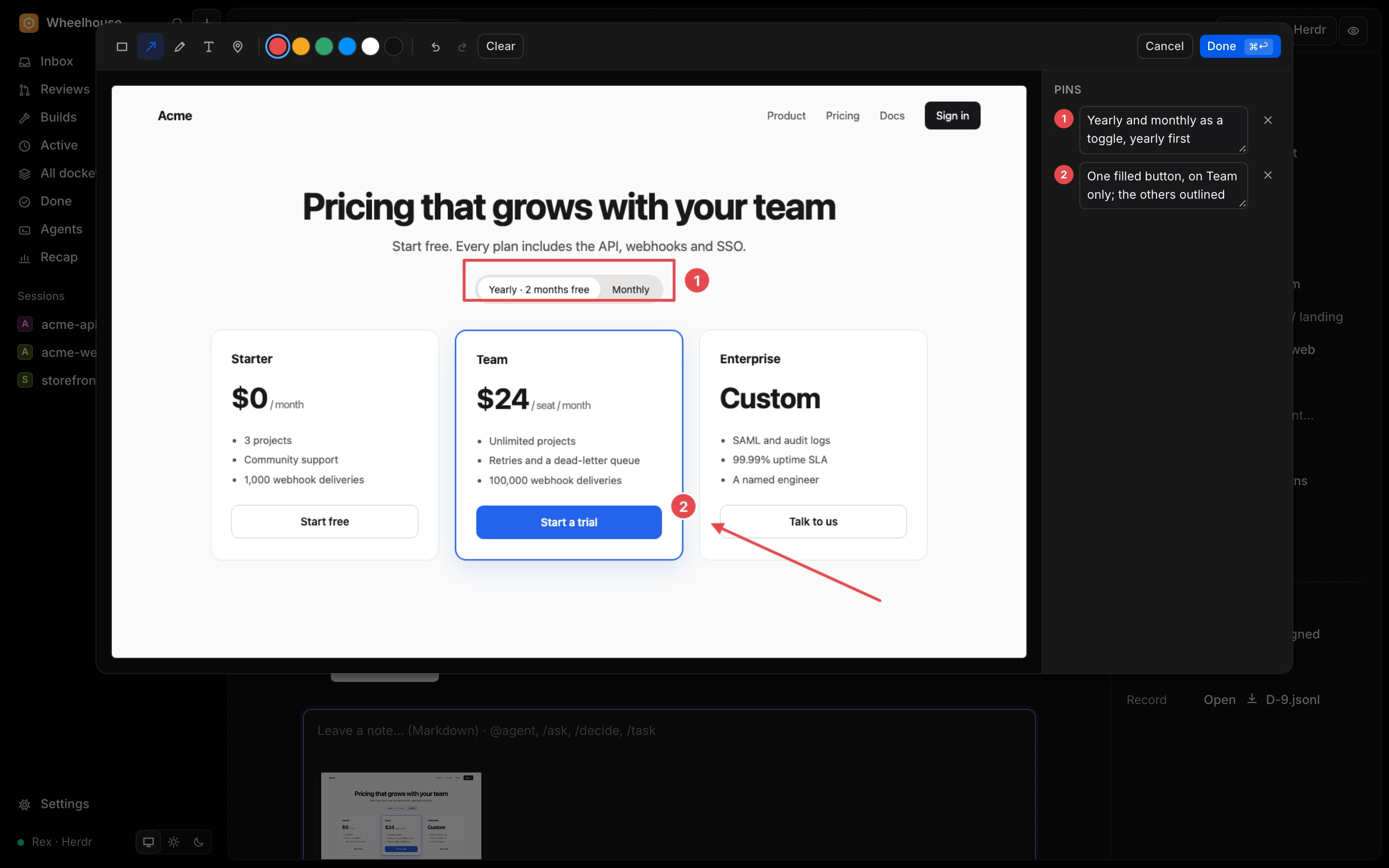
Some things are quicker to show than to say: what the page should look like, a design you like, the spot on a screenshot that’s wrong. Paste the image into a docket’s composer, caption it, mark it up if it helps, and send it the way you send anything else. Each agent on the docket gets the image as a file it opens and sees, with your caption and what each numbered pin says.
Sending one
Section titled “Sending one”In a docket’s composer, in the web app, on your phone, or in Wheelhouse.app:
-
Add it. Paste it (⌘V), drop it on the composer, or press the paperclip to pick some. On a phone the paperclip opens Photos and the camera. Up to 10 go at once.
-
Caption it. Each image has a line under it: what to look at.
-
Mark it up. Click the image for the markup editor:
Key Tool BBox AArrow PPen TText NNumbered pin, with a note at the side 1–6Color ⌘Z,⇧⌘ZUndo, redo The agents get the marked-up image at full size and each pin’s note as text. The docket keeps the image you started from beside it.
-
Send it with what you type:
You type The images go @landing build the hero like thisTo that agent, with the prompt, waiting for its turn to end /ask Which of these? | A | BTo the docket’s agents, with the question /decide Header: like thisTo the docket’s agents, with the decision, which stands under Decisions /task match this pageWith the new agent’s prompt A note, or nothing On the docket, for every agent’s brief
What agents get
Section titled “What agents get”The hub writes each image to a file only you can read, under
~/.local/state/wheelhouse/images/, and puts its path in the text the agent
gets:
build the hero like this: the copy and the plans are final.
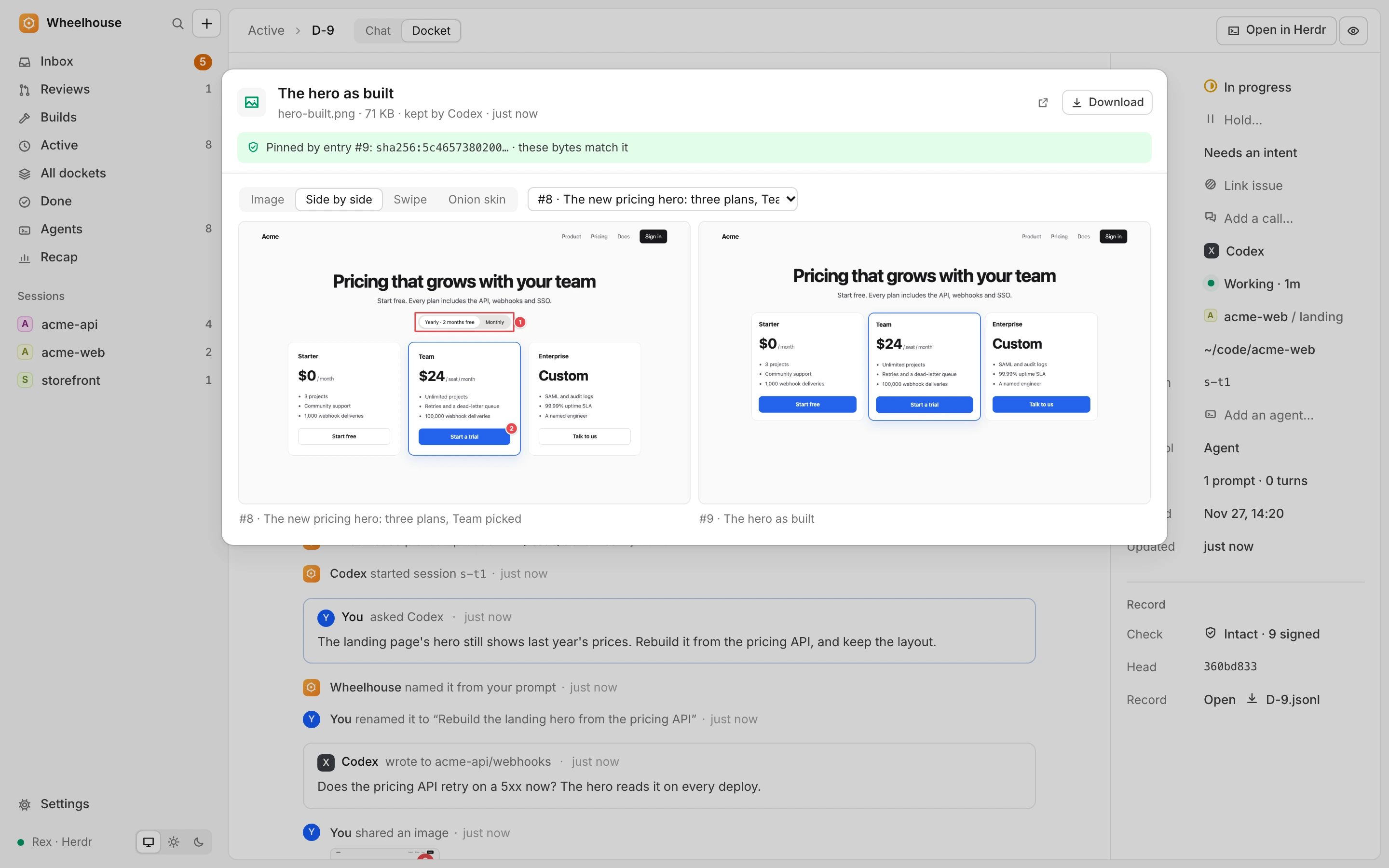
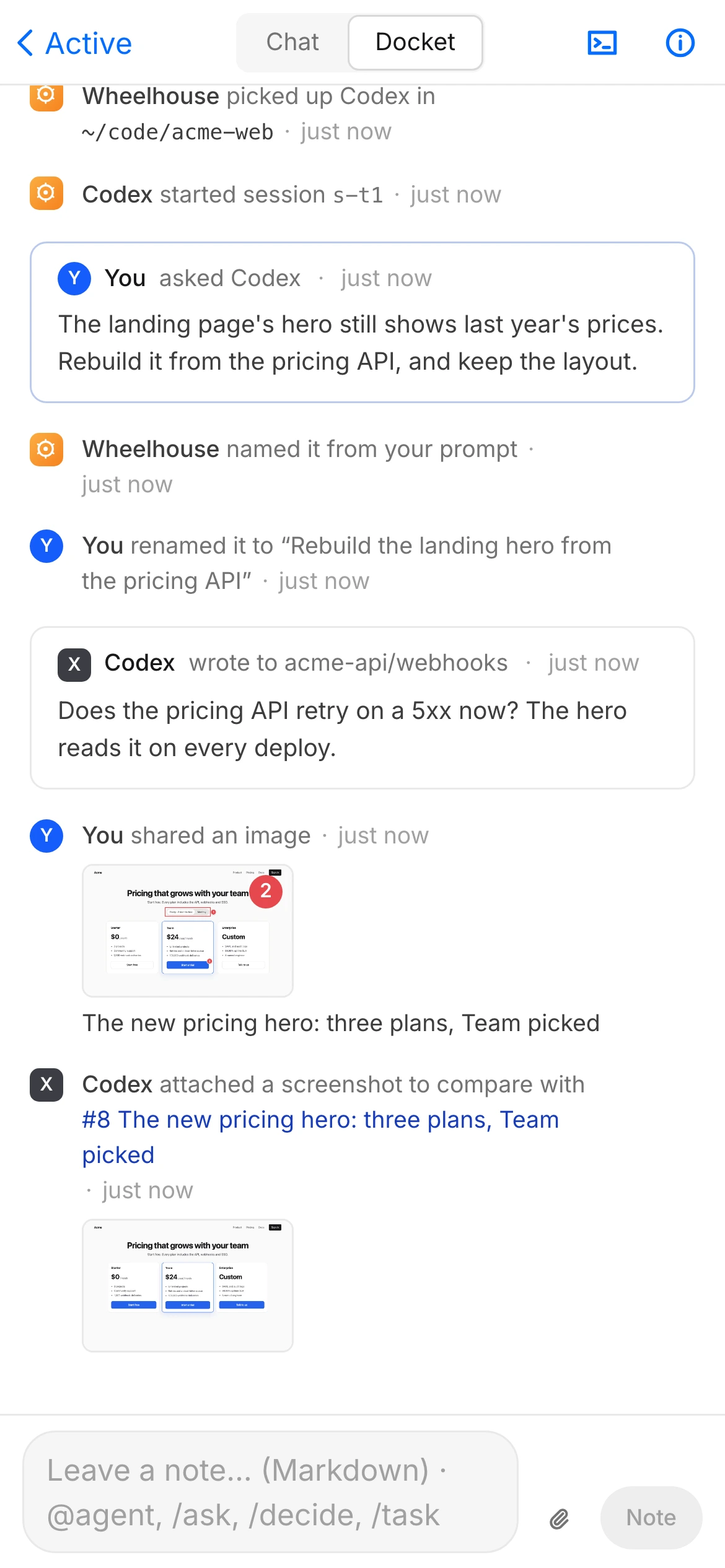
An image comes with this (open it to see it: Read in Claude Code, view_image in Codex):1. /Users/you/.local/state/wheelhouse/images/D-9/3f2a91c0b7de-hero.png (1280×800): The new pricing hero: three plans, Team picked   Numbered pins on it: 1. Yearly and monthly as a toggle, yearly first; 2. One filled button, on Team only; the others outlined
Claude Code opens it with Read, Codex with view_image, and Pi with read, in
Rex and in Herdr alike. An agent that joins later finds the docket’s images in
its brief, and wh images writes them all out:
wh images # this pane's docket: each image, who shared it, and its filewh images D-9 --jsonIn the intent
Section titled “In the intent”Paste or drop a mockup into the intent while you edit it, or use the image
button on its toolbar. It shows in the intent in both apps and is kept with the
docket when you save. In wh brief, each image’s link is followed by the file
it’s written out as, so the spec an agent works from points at something it can
open. Build’s planner reads it the same way, and a Build’s PR description names
the image rather than linking to your hub.
Comparing what was built
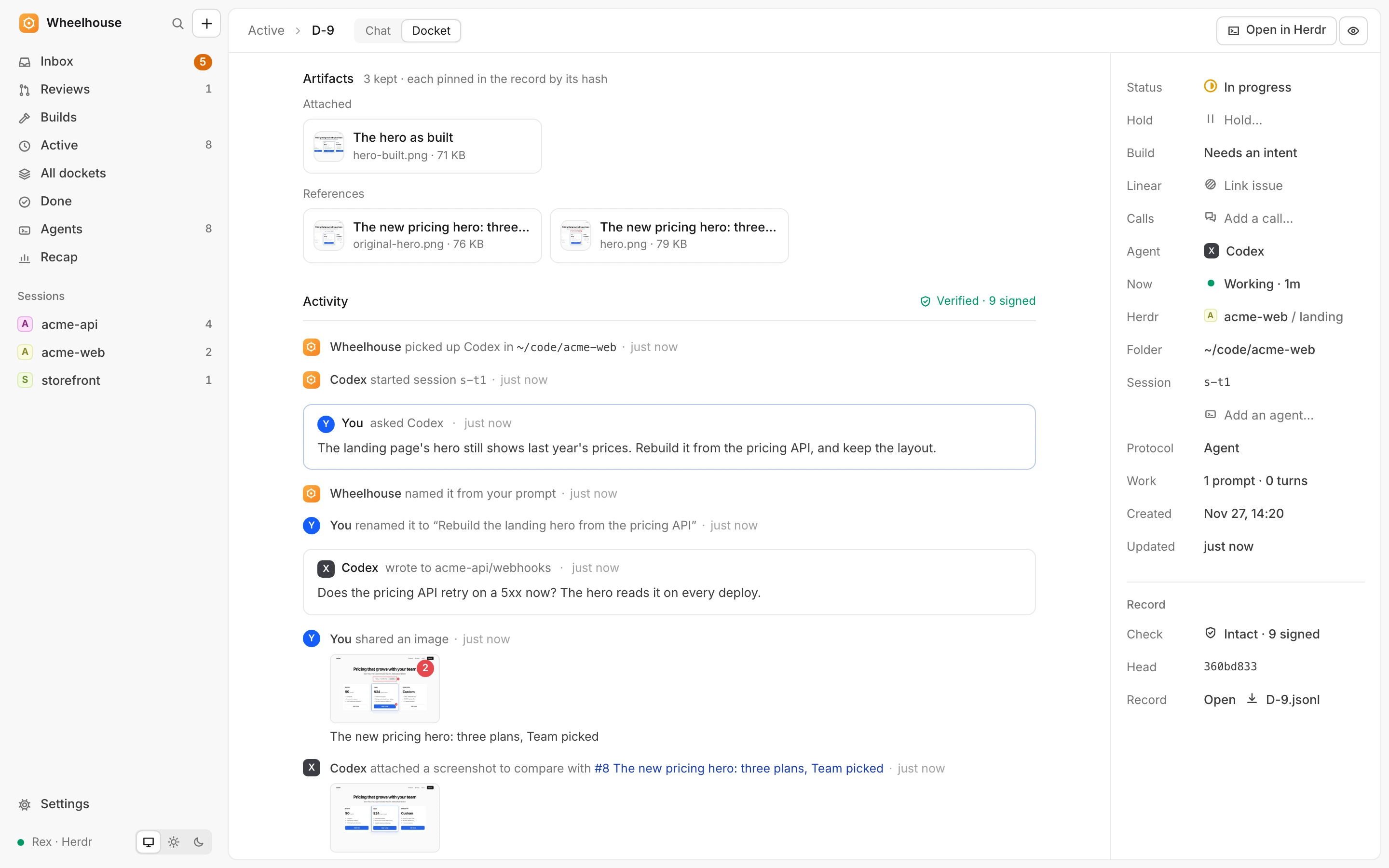
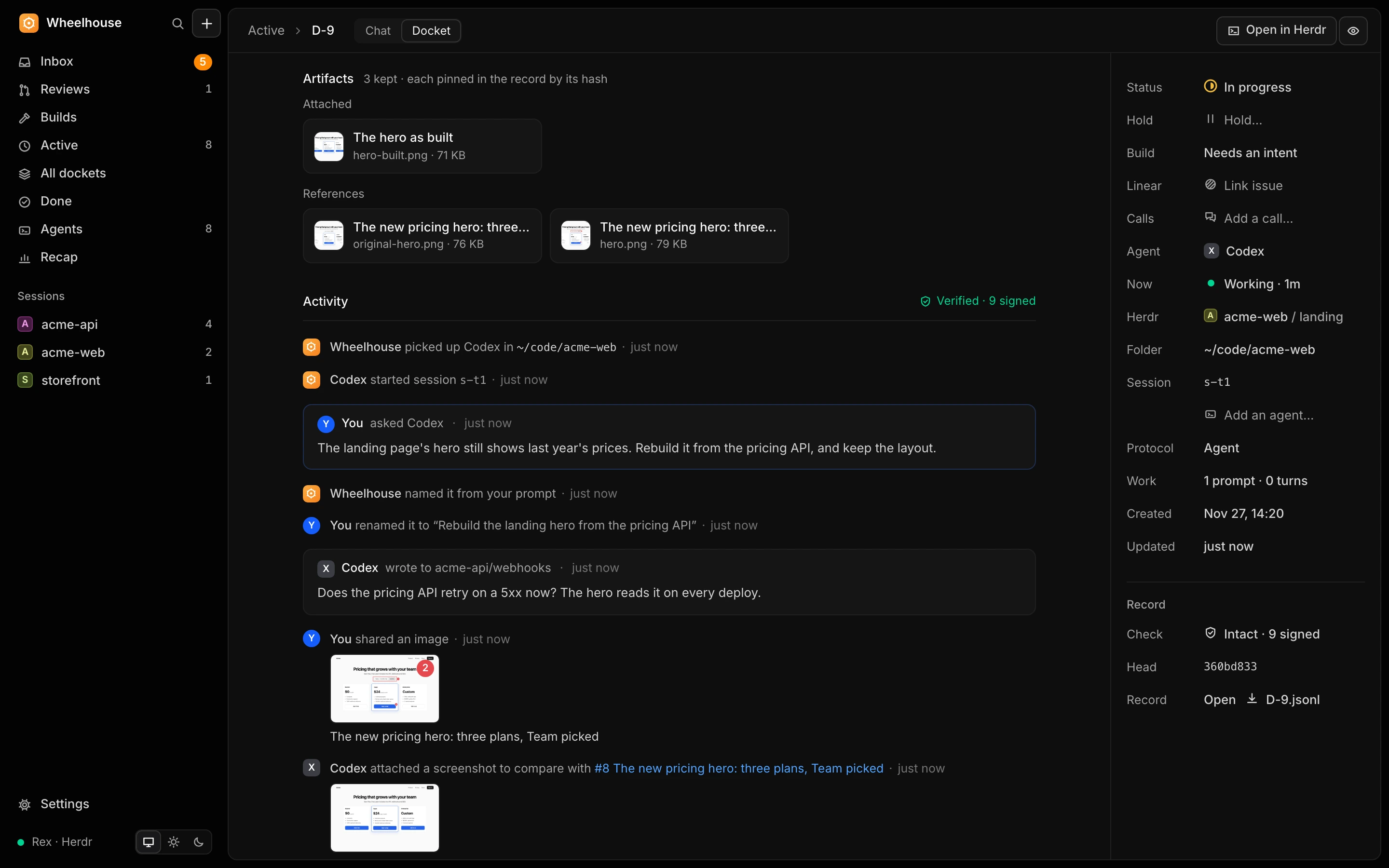
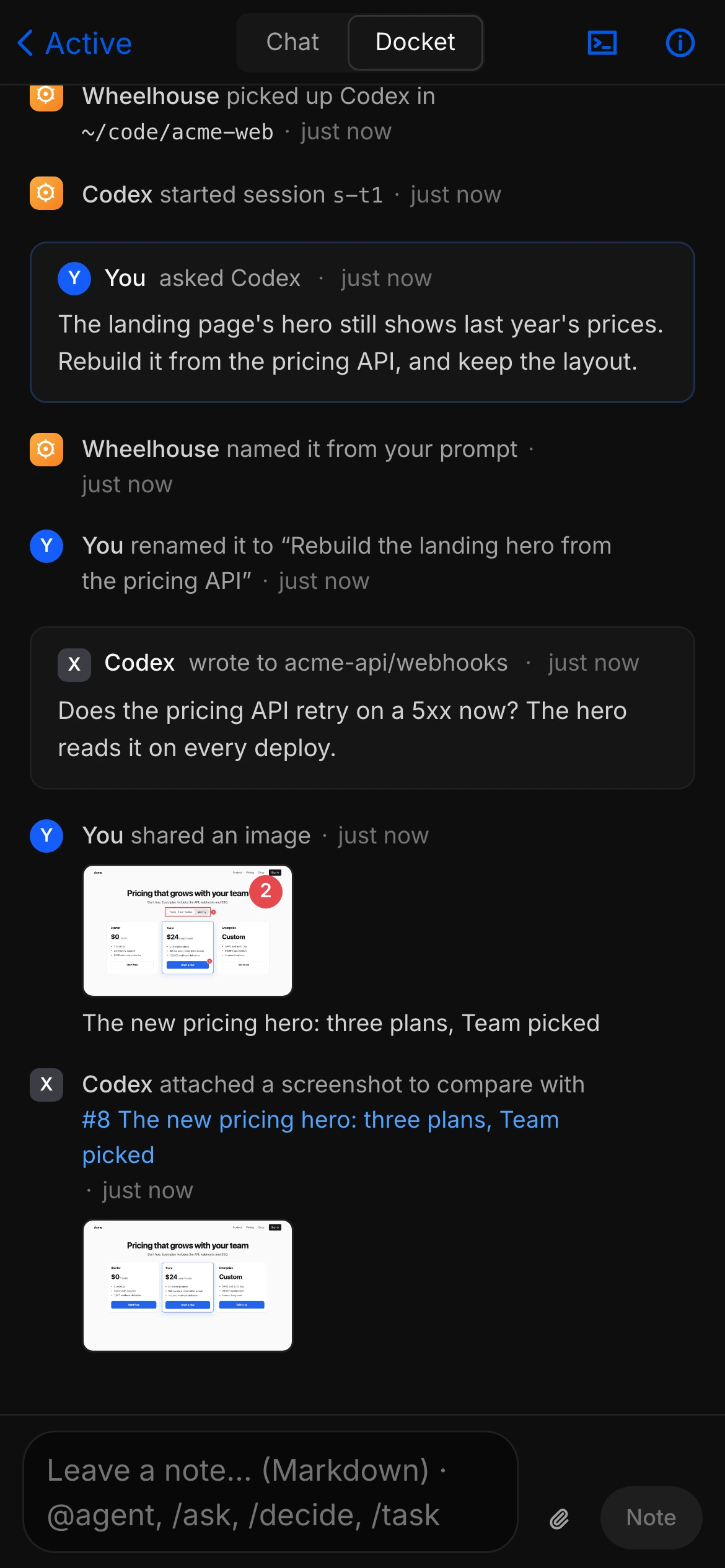
Section titled “Comparing what was built”An agent that built what an image shows attaches its own screenshot against it:
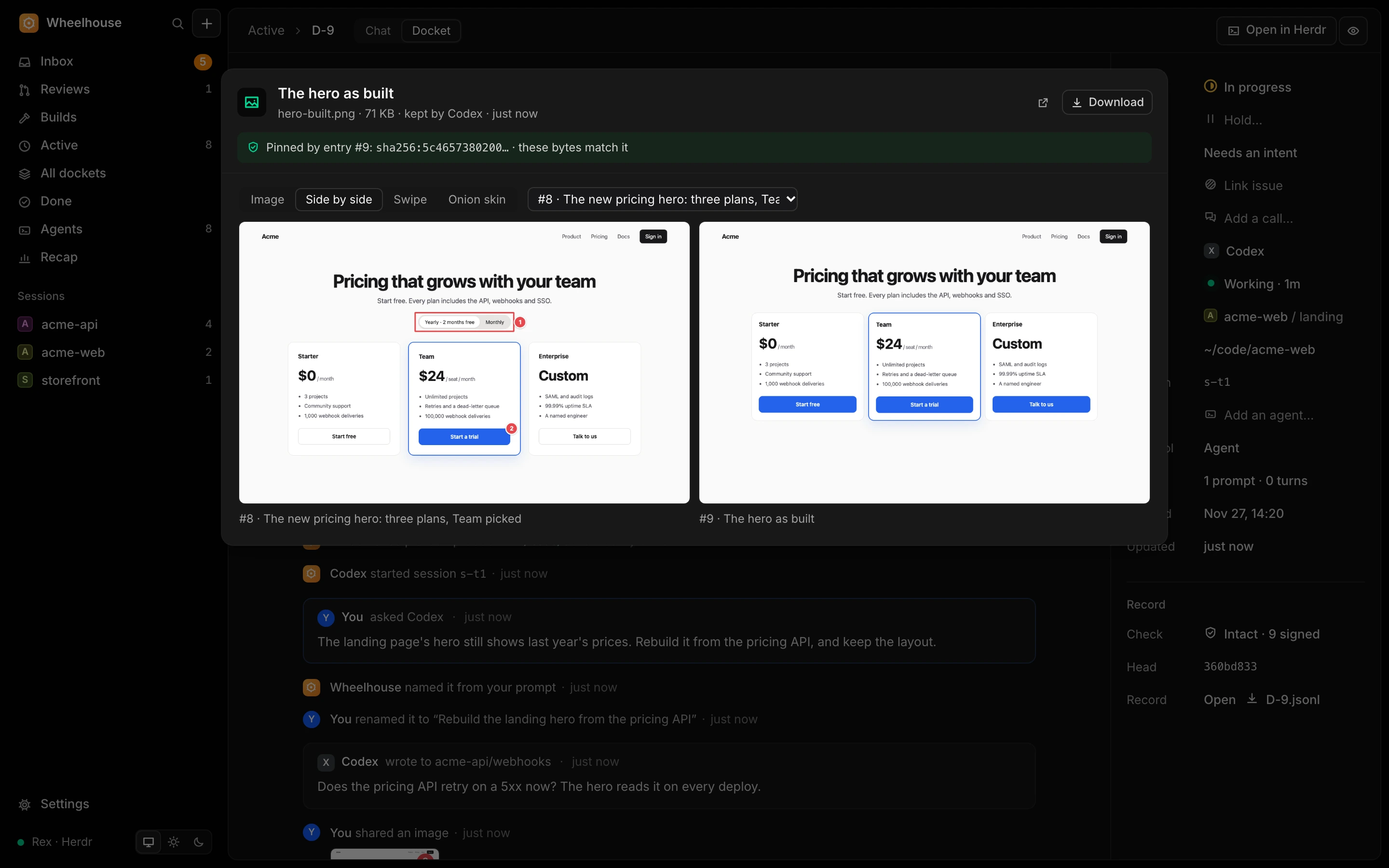
wh attach shot.png --against 12Open either one on the docket to see them side by side, as a swipe, or as an onion skin, one over the other with a slider. Any image compares with any other on the docket too.
From the phone’s share sheet
Section titled “From the phone’s share sheet”Android, and Chrome on a desktop. Install the web app (Add to Home Screen), and Wheelhouse shows up in the share sheet. Share a screenshot to it, pick a docket or start a new one, and the image waits in that docket’s composer for you to caption, mark up and send. Only images come through: nothing is typed for you.
iPhone and iPad. Safari doesn’t let a web app appear in the share sheet, so a Shortcut does it:
- In Shortcuts, make a shortcut, and in its details turn on Show in Share Sheet, taking Images.
- Repeat with Each item in Shortcut Input:
- Convert Image (the Repeat Item) to JPEG.
- Get Contents of URL:
https://<your Mac>.<tailnet>.ts.net/api/images?name=shared.jpg, method POST, headerX-Wheelhouseset toshortcut, request body File: the Converted Image. - Get Dictionary Value
digestfrom the Contents of URL.
- Combine Text from the Repeat Results, with
,between. - Open URLs:
https://<your Mac>.<tailnet>.ts.net/#/share/followed by the Combined Text.
Your hub’s address is the one wh web --publish printed. It answers only you,
on your tailnet, so the Shortcut needs no key.
On a shared docket
Section titled “On a shared docket”Every image you send is kept on the docket’s record, pinned by its hash, and teammates’ hubs fetch it with the entry, so their agents get a file on their own Mac. A brief says who shared each image (you, a teammate, or a teammate’s agent), and a teammate’s image is a peer’s request like their messages. If you keep your prompts private on the docket, the images you send with a prompt stay private too: written out for the agent on your Mac, and off the shared record.
Limits
Section titled “Limits”- PNG, JPEG, GIF and WebP, checked by their bytes, never by name. SVG is never taken as an image: it can run scripts. Both apps redraw a phone’s HEIC, an AVIF, or anything over the limits first: a photo as a JPEG, a screenshot as a PNG, as large as fits.
- At most 15 MB and 20,000 pixels on a side (100 megapixels in all) for an
image that goes to agents.
wh attachstill keeps a bigger file, such as a full-page screenshot, as a file. - Up to 10 images and 4,000 characters of captions and pin notes per message, and 40 pins per image.
- An image you add and never send is let go of after three days. A file written out for agents that hasn’t been handed out in two weeks is removed, and written again when an agent needs it.